TradingPal vs TradingView
TradingPal vs TradingView for charts and strategy research
TradingView offers chart customization, Pine Script, community studies and supported broker connections. TradingPal provides automatic technical setups with historical records for its own rules. This comparison follows the work involved in finding a setup and evaluating its trade history.
Typical uses
TradingView
Develop your chart and strategy
Use drawing tools, built-in or community studies, Pine Script and supported broker integrations.
TradingPal
Inspect the platform’s setup rules
Review automatic patterns, trade levels and completed historical outcomes where the setup qualifies.
Using both
Keep custom analysis alongside setup research
Use TradingView for your custom studies and TradingPal for the historical records of its defined setups.
TradingView vs TradingPal side by side
TradingView’s official pricing and pattern documentation were checked September 11, 2026. The displayed Essential rate is an annual-billing special; tax and market-data fees may be additional. TradingPal is not affiliated with or endorsed by TradingView.
TradingPal's setup statistics are historical simulated results under defined rules, with wins and losses in the record. They are not live performance, a prediction, or a guarantee of what the next setup will do.
Sources: TradingView pricing · TradingView auto chart patterns · TradingView Pine Script
When custom analysis is essential
If you need to change an indicator, write an entry condition or build a multi-chart workspace around your own method, TradingView provides the tools for that work. TradingPal’s setup records use the platform’s rules, which users cannot rewrite into a custom strategy.
Start with the analysis you need to perform
Suppose you want to test a breakout only when a custom indicator crosses a threshold. TradingView lets you build that condition in Pine or evaluate an existing strategy that implements it.
TradingPal lets you inspect its detected setups, their trade levels and their historical record. If your custom condition is essential, that record does not measure your revised strategy.
How the backtest is defined
TradingView’s strategy tools report simulated trades and performance after you add a strategy. Review the script, inputs, data and execution assumptions before interpreting the result. Automatic chart-pattern detection is a separate feature from testing a complete entry and exit rule.
TradingPal attaches the record for its own rules to qualifying setups. Read the methodology and resolved examples to understand those rules and their limitations. Changing the intended entry or exit changes how relevant that record is to your trade.
Compare free access and paid limits
TradingView Basic is free. Paid plans increase chart, indicator, alert and other limits; the official pricing page identifies which features each plan includes. Market-data subscriptions may add cost.
TradingPal Free includes charts, Auto Trendlines, the latest detected pattern and the Morning Brief’s #10 ranked setup. Premium includes the full scanner, complete replay, all five Brief picks and followed-symbol alerts. Compare the tasks you can complete on each plan as well as the price.
Check your symbols and execution needs
Before choosing a platform, check the instruments and data feeds you use. TradingView supports a broad range of markets and compatible broker connections. TradingPal’s public research tools focus on supported stocks & crypto.
If you already use TradingView to chart or place orders, you can evaluate TradingPal’s setup records alongside that workflow. Confirm that the historical record matches the setup and direction you are studying.
Review a predefined setup record
TradingPal’s panel summarizes its simulated trade rules. The displayed average R, win rate and drawdown need to be read with the sample, time period and execution assumptions.
The complete backtesting methodology explains portfolio caps, 25-run medians, cost stress, and limitations.
A Scanner Setup and Its Historical Record
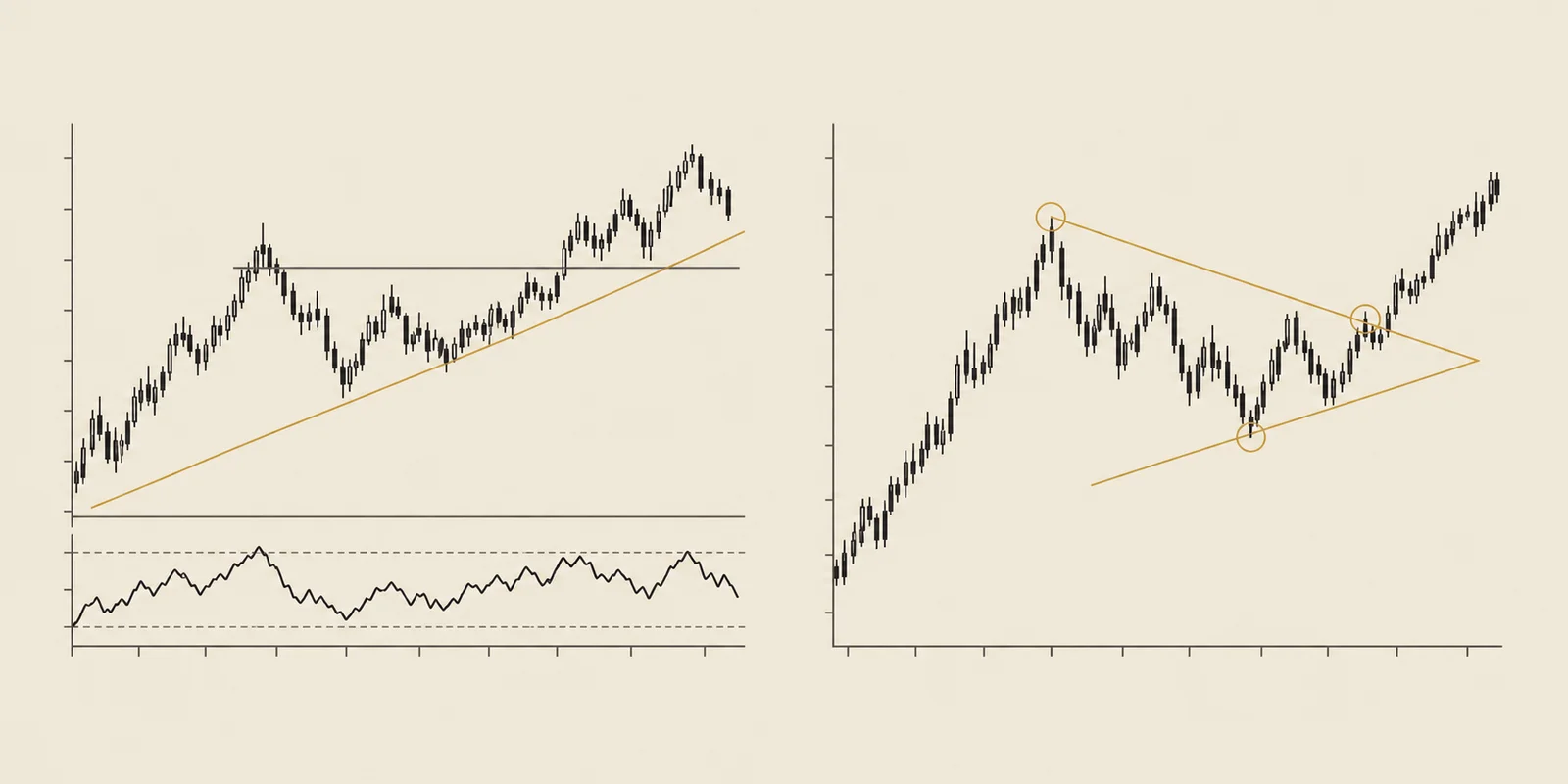
Price is compressing into a continuation pattern with an upside measured move.
Track-record sample: Jan 2018 – Mar 2026. Updated April 21, 2026.
Keep comparing
Compare charting, screening and backtesting features in these related guides.
Frequently asked questions
Can TradingPal replace TradingView?
It can cover research into TradingPal’s defined technical setups. Custom Pine studies, broader chart customization and supported broker connections remain TradingView functions.
Does TradingView detect chart patterns automatically?
Yes. Its paid auto chart-pattern tools detect selected patterns. Strategy testing separately evaluates a defined entry and exit policy.
How do the prices compare?
At the September 11, 2026 check, TradingView displayed Essential at $12.95 per month billed annually as a special price. TradingPal Premium lists $15 monthly or $150 annually. Compare limits, data fees and current terms.
Can I use both?
Yes. You can retain TradingView for custom charts and strategies while using TradingPal to inspect its predefined setups and historical records.
Can customers place trades through TradingPal’s research tools?
The public charting and research subscription does not provide customer broker execution. Historical setup records are simulations.
See It Work — for Free, Every Day.
We post real pattern calls and breakdowns on X — like this June SPY slide, called move by move as it played out. Every call names the level that would prove it wrong, and every call stays up — wins and losses.
Follow @TradingPalHQ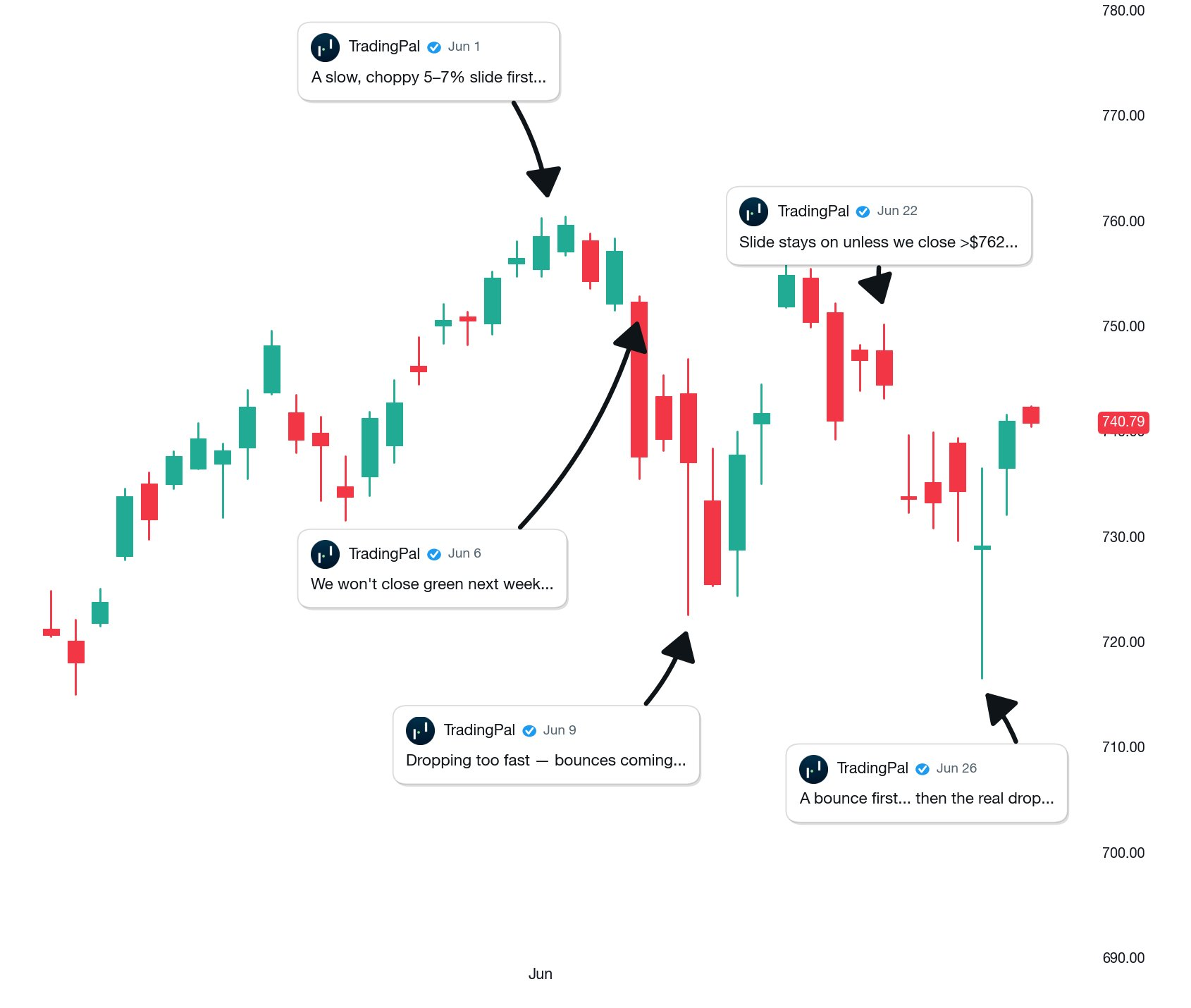 Posted Jun 30, 2026 · open the post to verify
Learn the patterns behind the numbers
The pattern guides explain how to recognize each setup and define its entry and exits. The metrics guides explain how to read its historical results.
See a Qualifying Setup and Its Record
Open a chart free to explore its automatic lines and any qualifying setup available for that symbol. Upgrade when you want the supported universe of 2,600+ symbols scanned nightly.